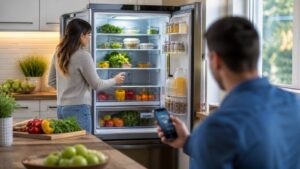
Smart refrigerators are redefining what it means to be the heart of the modern kitchen. No longer just cold storage, today’s connected fridges think, track, and adapt—blending cutting-edge technology with everyday convenience. From touchscreens and internal cameras to voice assistants and app connectivity, smart refrigerators help manage groceries, reduce food waste, and streamline daily routines in ways that feel both futuristic and practical. On Appliance Street, this Smart Refrigerators hub explores how innovation is reshaping one of the most essential appliances in the home. You’ll discover how features like inventory tracking, energy optimization, customizable cooling zones, and smart alerts turn food storage into a seamless experience. Whether you’re curious about syncing your fridge with your phone, comparing smart cooling systems, or understanding how AI-powered freshness monitoring works, this category brings clarity to the rapidly evolving world of connected refrigeration. Designed for tech enthusiasts, busy households, and design-minded homeowners alike, our Smart Refrigerators articles break down complex features into approachable insights—helping you decide what truly adds value to your kitchen. Welcome to the future of food storage, where intelligence meets freshness.
1. Dedicated outlet: plug the fridge directly into a grounded wall outlet—avoid extension cords and power strips.
2. Voltage check: most homes use 120V in the U.S.; verify the rating plate before install in garages/shops.
3. Start-up rest: after moving, let it stand upright 4–24 hours (per manual) so refrigerant oil can settle.
4. Clearance matters: leave recommended air gaps around the cabinet for proper compressor and condenser cooling.
5. Leveling = sealing: a level fridge helps doors close fully and reduces warm-air leaks that create frost.
6. Water line basics: use the manufacturer-approved tubing and a reachable shutoff valve for ice/water models.
7. GFCI/AFCI quirks: some fridges can nuisance-trip certain protected circuits—follow local code and installer guidance.
8. Temperature targets: aim for ~37°F (3°C) fresh food and 0°F (−18°C) freezer for safety and efficiency.
9. Door alarm strategy: enable door alerts on day one—open doors are the #1 “mystery warm” culprit.
10. Wi-Fi pairing: connect near the router first; move later once the app confirms stable signal and firmware updates.
1. Vacation mode: reduces energy use while keeping food safe—perfect for long weekends.
2. “Power Cool/Freeze”: a short boost helps after big grocery runs or frequent door openings.
3. Filter reset: after replacing the water filter, reset the timer so alerts stay accurate.
4. Night mode: dims interior lighting and tones down beeps for open-concept homes.
5. Custom zones: convert a drawer/compartment between deli, beverage, produce, or thaw modes (model dependent).
6. Energy saver switch: reduces heater use around the doors—turn off if you see condensation in humid weather.
7. App alerts: enable power-loss and temp alerts so you’ll know before food is at risk.
8. Auto-ice scheduling: pause ice overnight or during parties—less clatter, fewer overflow surprises.
9. Inventory shortcuts: snap shelf photos after restocking so “Do we have milk?” becomes a 2-second check.
10. Quick-clean routine: wipe door gaskets and handles weekly—smudges hide tiny leaks and odors.
1. Leak sensor + alarm: place behind/under the fridge to catch drips early—especially with ice makers.
2. Inline water filter: reduces sediment before it hits the fridge filter, improving taste and flow.
3. Air purifier insert: some models accept cartridges to cut onion/fish odors faster.
4. Fridge thermometer: a simple backup to verify real temps during heat waves or holiday loading.
5. Stackable bins: clear bins create “zones” (snacks, lunches, condiments) and reduce door-open time.
6. Produce humidity pods: helps extend crispness for herbs and greens in high-turnover households.
7. Ice bin scoop: keeps hands out of ice and reduces clumping and funky freezer smells.
8. Coil-cleaning brush: a once-a-year tool that can improve efficiency and reduce compressor strain.
9. Water-line shutoff wrench: makes emergency shutoff quick if the valve is tucked behind cabinetry.
10. Odor absorbers: baking-soda style or charcoal packs—best paired with regular spill cleanups.
1. Inverter compressors: variable speed cooling means fewer temp swings and often lower noise.
2. Multiple temp sensors: fridge, freezer, and door sensors help react faster to openings and warm items.
3. Adaptive defrost: defrosts only when needed, reducing heat pulses that can dry out food.
4. Dual-evaporator systems: separate airflow can help keep freezer air from drying the fresh-food side.
5. Smart diagnostics: the app can surface error codes, fan issues, or temp anomalies for quicker service calls.
6. Door gasket heaters: tiny heaters prevent condensation—great in humidity, but can raise energy use if always on.
7. Internal cameras: some models capture shelf images so you can check groceries while shopping.
8. Water flow sensors: detect slow flow that signals a clogged filter, kinked line, or low supply pressure.
9. Soft-close drawers: dampers reduce slams that can shift shelves and crack plastic over time.
10. Firmware updates: smart fridges may improve features or stability—keep auto-updates on when available.
1. The “hum” you hear often changes pitch because variable-speed compressors ramp up and down.
2. A fridge’s biggest energy loss is warm air—every long door-open moment makes the compressor work harder.
3. Ice makers are mini factories: fill, freeze, harvest, dump—most “mystery noises” are just harvest cycles.
4. Stainless fronts don’t mean stainless everything—many doors use coated steel over insulation to reduce fingerprints.
5. Counter-depth looks built-in, but the tradeoff is usually less shelf depth for pizza boxes and platters.
6. Fast cooling works best with airflow: don’t block vents with tall bottles or packed leftovers.
7. A weak seal can mimic a “bad fridge”—paper test the gasket and clean it before calling for service.
8. The warm strip on the cabinet edge is often normal—anti-sweat heaters fight condensation in humid kitchens.
9. “Smart” features can reduce food waste—alerts and inventory snapshots help you use what you already have.
10. Your fridge’s best friend is space: leaving small gaps between items improves circulation and steady temps.
Q: Do smart refrigerators still work if Wi-Fi goes out?
A: Yes—cooling works normally; you just lose app controls/alerts until reconnect.
Q: What’s the most useful smart feature day-to-day?
A: Temperature/power-loss alerts and door-left-open notifications—simple, practical protection.
Q: Why is my ice maker slow after installation?
A: New units often need 12–24 hours to reach full ice production; confirm temps and water flow.
Q: I’m getting a “replace filter” alert—can I ignore it?
A: You can temporarily, but taste/flow can suffer; replace and reset the indicator in the app/panel.
Q: Why do I hear popping or cracking sounds?
A: Normal thermal expansion as plastics and liners warm/cool—especially during defrost cycles.
Q: My fridge is sweating on the outside—what should I do?
A: Check gasket seal and humidity; toggle the energy-saver/anti-sweat setting per your climate.
Q: How can I improve cooling performance quickly?
A: Don’t block vents, keep coils clean, and verify door alignment so the seal closes fully.
Q: Is a surge protector recommended for a refrigerator?
A: Follow the manufacturer guidance—many prefer direct-to-wall connection; use proper dedicated circuits.
Q: What temps are safest for food storage?
A: About 37°F (3°C) for fridge and 0°F (−18°C) for freezer; verify with a thermometer if unsure.
Q: How do I keep smart features more private?
A: Use strong Wi-Fi passwords, keep firmware updated, review app permissions, and disable cameras if your model allows.